Edit Keys
Edit the keys of the message type
In XML schema it is possible to define keys. That is a set of elements whose values identify an element in its parent's context. In Orchestra this feature is used only if the message was imported from a database (see Import from Database). Actually keys in this case are the primary key, the unique keys and the foreign keys of the imported tables. This information is then used in the Database Target and the Database Source Reader.
To edit the keys you can expand Keys definition panel in the right sidebar
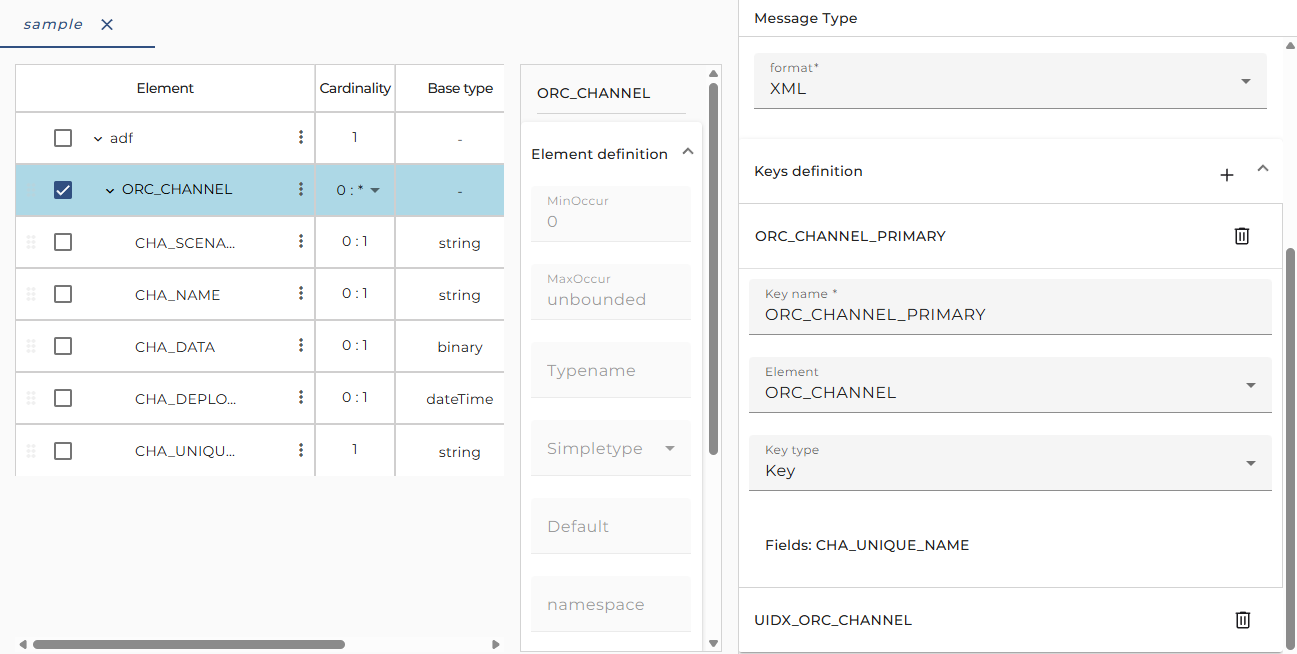
Typically, these keys are created automatically if you import a message from a database. But sometimes it may be necessary to define and edit keys here. This means that you define constraints for the messages having this message type; it doesn't change the database where the message was imported from.
If you click on Plus on keys definition header you can define a new key. A new key will add to the selected node of message type editor except following conditions:
- no node selected
- selected root node
- selected node that does not contain any children
Orchestra will hint a warning message and prevent the addition of a new key.